

When transitioning to a new platform like Red Hat OpenShift, you often encounter platform-specific routing quirks even with the simplest deployments. I recently deployed a basic Nginx sample application using the 1.26-ubi10 builder image via the OpenShift console to get a feel for the workflow. The deployment process was completely smooth, but accessing the public route threw a frustrating curveball.
Here is a quick walkthrough of the issue, the troubleshooting steps, and the one-line fix.
The Problem: A Ghost 503 Error
After the initial deployment completed, navigating to the generated HTTPS route returned an error page stating: “Application is not available”.
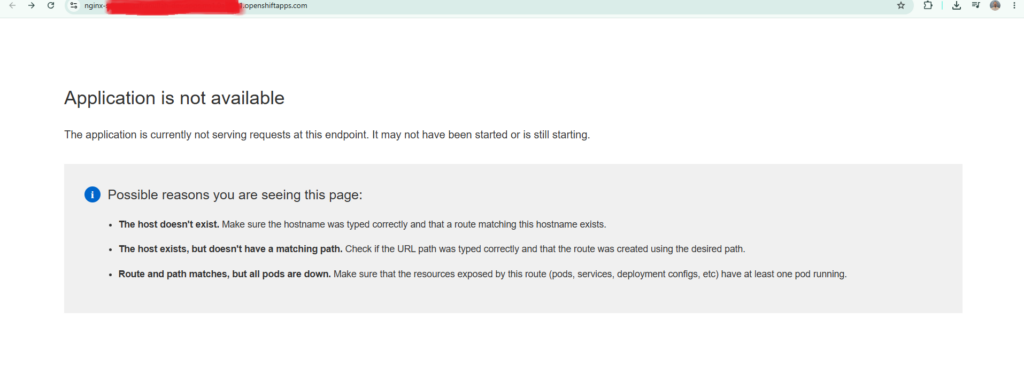
The page suggested checking if the hostname was mistyped, if the route lacked a matching path, or if all the pods were simply down.
Troubleshooting from the Inside Out
To isolate the issue, I opened up the OpenShift command line terminal to verify the state of the underlying resources. I checked the standard Kubernetes chain of connection:
- Pods: Running
oc get podsshowed that thenginx-samplepod was1/1READY and in aRunningstatus. - Endpoints: Running
oc get endpointsconfirmed the service was correctly detecting the pod and mapping traffic to its internal IP on ports 8080 and 8443.
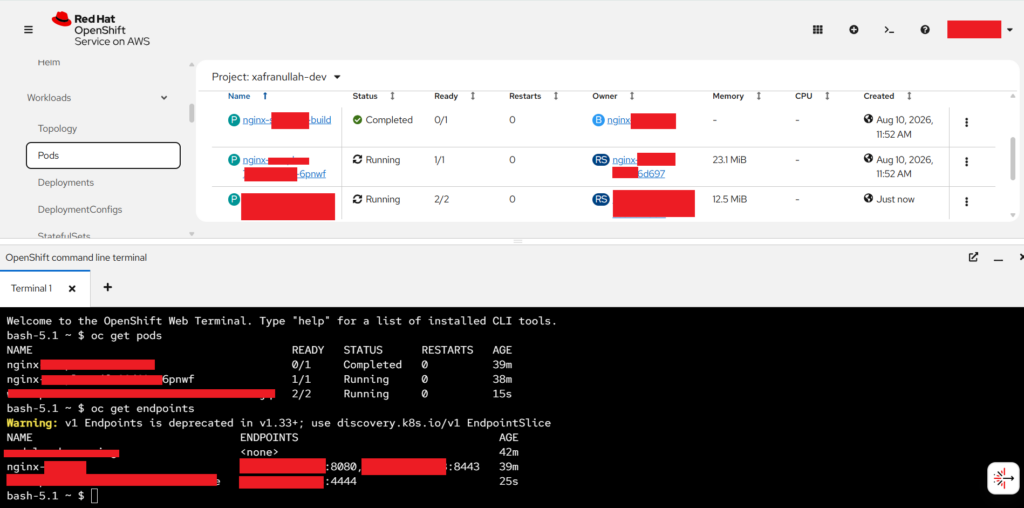
Because the pod was healthy and the service was successfully connected to it, the break had to be at the edge routing layer. Accessing the application over a standard, non-secure HTTP URL actually bypassed the error and loaded the Nginx welcome page successfully. This isolated the problem entirely to how the OpenShift HAProxy router was handling the secure HTTPS request.
The Fix: Enabling Edge Termination
By default, OpenShift had created an unsecured HTTP route. Because modern browsers default to https://, the OpenShift router was dropping the traffic because it lacked a TLS termination configuration to handle the secure handshake.

The fix is a simple one-liner to offload the SSL certificate handling directly to the OpenShift router using “edge” termination. I applied this via the CLI:
oc patch route nginx-sample -p '{"spec":{"tls":{"termination":"edge"}}}'
Running oc get route immediately afterward showed that the TERMINATION column was successfully updated to edge.

The Result
With edge termination applied, the OpenShift router successfully accepted the secure connection and forwarded the traffic to the internal Nginx pod. Refreshing the HTTPS URL immediately loaded the “Welcome to your static nginx application on OpenShift” page.
This serves as a perfect reminder that in OpenShift, verifying your TLS termination strategy is just as critical as checking your pod health!
